
Table of Contents
- Curated Tech Gadgets for Modern Homes: What Belongs in 2026
- How to Choose Curated Tech Gadgets for Modern Homes
- The Best Smart Home Devices for Everyday Rooms
- Smart Home Devices That Work Together in One Ecosystem
- Energy-Saving Smart Home Devices That Cut Daily Waste
- Affordable Home Tech Gadgets Under $100
- Room-by-Room Picks: Projector, Beverage Cooler, and Pet Fountain
- Conclusion: Build the Setup in Stages
- Frequently Asked Questions
Last Updated: October 7, 2026
Curated Tech Gadgets for Modern Homes: What Belongs in 2026
The most popular smart home device is the smartphone, found in 94% of households, followed by smart TVs at 68% and smart thermostats at 31%, according to Reviews.org's 2026 smart home device statistics. That gap tells you something important: the devices people actually adopt are the ones that solve a daily problem, not the ones that look impressive in a showroom.
How to Choose Curated Tech Gadgets for Modern Homes
The right way to choose curated tech gadgets for modern homes is to start with the room and the daily task, then check the one specification that decides whether the device gets used. Two rules cover almost every decision.
Match the gadget to the room, not the trend
A gadget that lives where you already spend time gets used. One that needs a new habit or a new outlet in an awkward corner does not. Buy for the kitchen counter, the bedside table, or the home office first, and ignore anything that would need a dedicated space to justify itself.
Check the spec that decides daily use
Every category has one number that matters more than the rest. For a speaker, it is battery life. For a cooler, it is the temperature range. For a projector, it is native resolution. Get that number right and the rest of the spec sheet rarely changes how you feel about the product.
The Best Smart Home Devices for Everyday Rooms
The best smart home devices for everyday rooms are the ones that combine several small jobs into one object, which is why speakers with built-in clocks and chargers outperform single-purpose gadgets. Research into smart home adoption has found that consumers run into real friction with setup, device management, and support, not with the hardware itself (Horowitz Research on smart home consumer challenges). Fewer devices doing more work means fewer of those problems.
KP-578 Wireless Bluetooth Speaker With Clock, Alarm, and Wireless Charging
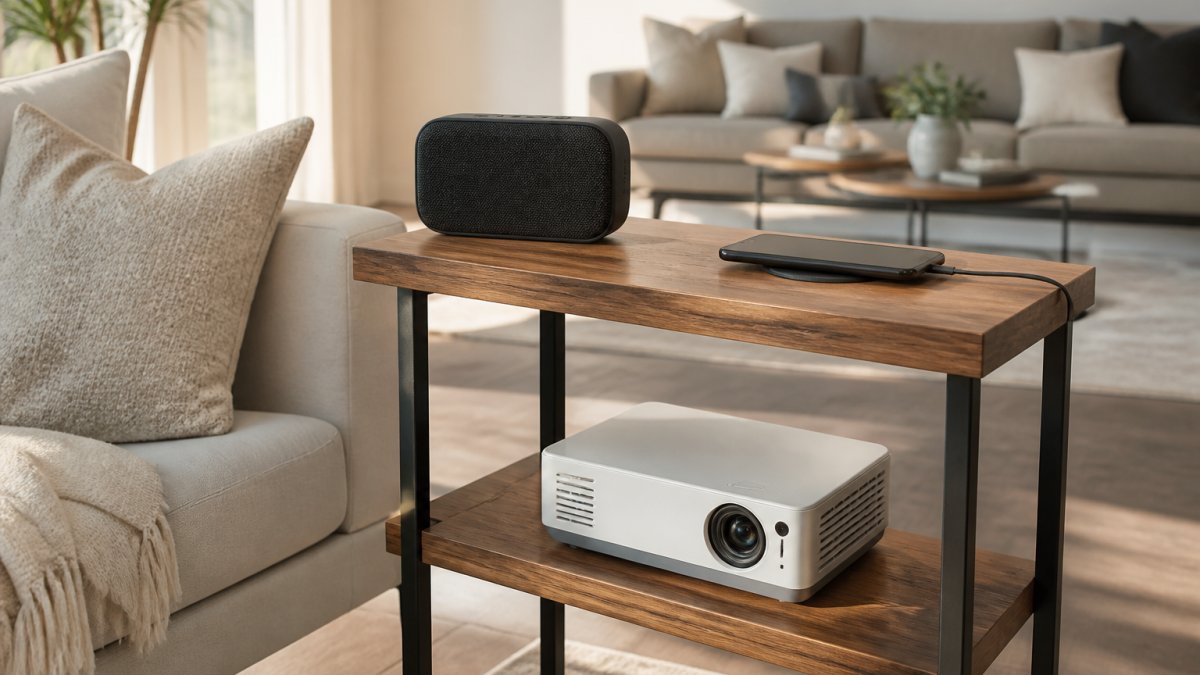
This is our pick for the bedside table, and it is the clearest example of consolidation done well. The KP-578 pairs Bluetooth 5.3 audio with a clock, alarm, timer, FM radio, and a 15W wireless charging pad on top. It also has white noise built in, which is the feature most reviews skip over and the one people actually use every night. Playtime runs 3 to 6 hours, charging takes 2 to 3 hours, and the transmission range is 10 meters. At $84.63, it replaces a speaker, an alarm clock, and a charging pad with one object.
KP-854 Wireless Bluetooth Speaker With Portable Handle and RGB Lighting
Where the KP-578 is a fixed piece of furniture, the KP-854 is the one you carry. It runs Bluetooth 5.4 with L2CAP, A2DP, and AVRCP support for stereo audio and track control, plus HSP and HFP for hands-free calls. Two 66mm drivers push 15W each, the signal-to-noise ratio is 90dB or better, and the 2400mAh battery gives roughly 3 hours at normal volume with the LED lights off. At 1044 grams with a molded handle, it is built to move from the patio to the garage. It costs $87.44.
Multifunctional Wireless Charging Non-Slip Mouse Pad
Desk clutter is the quiet problem in most home offices. This PU mouse pad measures 262 by 202mm, has a non-slip base, and puts a wireless charging surface directly under your wrist rest. It ships with a data cable and instruction manual in premium black or premium gray. At $35.18, it is the cheapest way on this list to remove one cable from your desk permanently.
Smart Home Devices That Work Together in One Ecosystem
Smart home devices that work together share one app and one voice assistant, which matters more than raw specifications once you own more than three of them. That is the argument for buying inside a single ecosystem rather than collecting the best-rated device in each category.
CLOUDRAKER Tuya Smart AI Robot Dog: A Voice Hub With Limits
The CLOUDRAKER robot dog runs on the Tuya Smart and Smart Life app and supports 61 or more languages with voice recognition accuracy above 95%. It carries 12 or more bionic actions, a 1.7-inch display for emojis and status, and content filtering designed for children under 12. The Tuya smart hub function is where it gets interesting and where we want to be precise: it can control compatible Tuya devices by voice, but that feature works with a limited selection of devices, and roughly 90% of the wider ecosystem does not yet support the AI instruction code. Check compatibility before you buy it as a hub. It is $616.85, and the standard version does not include a camera.
Energy-Saving Smart Home Devices That Cut Daily Waste
Energy-saving smart home devices cut daily waste by removing the small standby and convenience losses that add up quietly over a year. The clearest example in this category is not a smart plug at all.
New 500W Portable Power Station Solar Generator, 461Wh LiFePO4
This unit runs a 500W output with a 12.8V, 36AH, 461Wh LiFePO4 battery, which is the chemistry worth having because it holds up to repeated charge cycles better than older battery types. It charges three ways: car, wall charger, or solar panel, with solar input rated at 200W to 300W. Outputs cover USB, Type-C, and DC5521. At 3.65kg and 250 by 140 by 210mm, it moves between rooms without a cart. We would use it for the devices you do not want to lose in a storm, not as a whole-home backup. It is $599.11.
New 500W Portable Power Station Solar Generator 461Wh LiFePo4 Battery 220V →
Affordable Home Tech Gadgets Under $100
Affordable home tech gadgets under $100 are where most people should start, because the risk is low and the daily payoff is immediate. Two picks on this list land under that line: the KP-578 speaker at $84.63 and the KP-854 at $87.44. The wireless charging mouse pad at $35.18 sits well below both. If you are building a setup in stages, buy from this group first. You will learn which rooms you actually use tech in before you spend on the larger pieces.
Room-by-Room Picks: Projector, Beverage Cooler, and Pet Fountain
The larger purchases in a home tech setup should be chosen by room, because each of these solves a problem that only exists in one place. Here are three that earn their footprint.
720P Auto-Focus Portable Projector
A compact projector for the bedroom or home office, with native 720P resolution at 1280 by 720, 75W power draw, and 350 brightness. It ships with a choice of US, UK, AU, or EU plug, so select the correct type before ordering. At $296.76, it is the pick for a wall that would otherwise stay blank.
26-Bottle Wine and 130-Can Beverage Cooler
This freestanding cooler holds up to 26 wine bottles or 130 standard cans in 3.2 cubic feet, with an adjustable range of 32 to 61 degrees Fahrenheit. The clear glass door means you can see what you have without opening it, which keeps the temperature stable. It runs on 115V and measures roughly 18.9 by 17.5 by 33.1 inches. At $1,183.00, it is the largest investment here, and it belongs in a kitchen, bar, or entertaining space where drinks are actually served. Capacity varies with bottle and can size, so allow ventilation around the unit.
3.2L Rechargeable Automatic Pet Water Fountain
For pet owners, this fountain holds 3.2 liters and runs cordless on a rechargeable battery, which means it can sit anywhere rather than next to an outlet. The drinking surface is stainless steel and easy to clean, and the circulating design keeps water moving. Clean the reservoir regularly, replace the filter as recommended, and refill before the level drops below the pump's minimum line. Battery runtime varies with mode. It is $469.82.
| Gadget | Price | Room | Best For |
|---|---|---|---|
| KP-578 Speaker With Clock and Charging | $84.63 | Bedside | Replacing three devices with one |
| KP-854 Portable Speaker With RGB | $87.44 | Patio or garage | Moving between spaces |
| Wireless Charging Mouse Pad | $35.18 | Home office | Clearing desk cables |
| 720P Portable Projector | $296.76 | Bedroom or office | Blank-wall entertainment |
| 3.2L Pet Water Fountain | $469.82 | Anywhere with a pet | Cordless placement |
| 500W Portable Power Station | $599.11 | Whole home | Storm and outage backup |
| CLOUDRAKER Tuya Robot Dog | $616.85 | Living room | Tuya ecosystem voice control |
| 26-Bottle Wine and 130-Can Cooler | $1,183.00 | Kitchen or bar | Entertaining |
Conclusion: Build the Setup in Stages
The hard part of buying curated tech gadgets for modern homes is not finding options. It is knowing which room to start in and which specification actually decides whether you will keep using the thing. Pick one room, buy the under-$100 item that fixes a daily annoyance, and let that tell you where to go next.

Loop Te Loop stocks each of the eight picks above in one place, with competitive pricing and frequent sales across tech, home, and wellness categories. Browse the collection, compare the specs side by side, and add the first piece to your cart. Get started with Loop Te Loop and build a setup that fits the rooms you actually live in.
Frequently Asked Questions
What are the most useful tech gadgets for a modern home?
The useful ones replace a daily annoyance instead of adding an app. A Bluetooth speaker with a clock, alarm, and 15W wireless charging clears a nightstand of three separate devices. A rechargeable pet fountain keeps water moving without a cord across the floor. A portable power station covers outages and outdoor use. Start with the room you use most and pick one gadget that removes a chore there.
How do I choose smart home devices that work together?
Check the app and the protocol before you buy. The CLOUDRAKER Tuya Smart AI Robot Dog runs on Tuya Smart or Smart Life over 2.4GHz Wi-Fi, and it can act as a voice hub for compatible Tuya devices, but the listing notes that roughly 90% of other devices in that ecosystem do not yet support the AI instruction code. Confirm compatibility with the device maker first, then buy.
What gadgets can make a home more energy efficient?
Look for devices that cut standby waste and cover peak demand. The 500W Portable Power Station uses a LiFePO4 battery rated at 461Wh, charges by wall outlet, car, or a 200W to 300W solar panel, and outputs 500W, so it can run small loads during an outage instead of a fuel generator. A 15W wireless charging pad also removes several separate chargers from your outlets.
What are some affordable home tech gadgets for upgrading a home?
Two picks land under $100. The Multifunctional Wireless Charging Non-Slip Mouse Pad is $35.18, with a PU surface measuring 262 by 202mm. The KP-578 Bluetooth Speaker is $84.63 and combines a 15W wireless charger, clock, alarm, timer, FM radio, and LED ambient light in one unit. Both upgrade a desk or nightstand without a large spend.
Which smart home devices are easiest to set up?
Battery-powered gadgets with no wiring are the quickest. The 3.2L Rechargeable Automatic Pet Water Fountain is cordless, so you place it anywhere and refill it. The KP-854 Bluetooth Speaker pairs over Bluetooth 5.4 and charges by USB at 5V/1A. Wi-Fi devices like the robot dog need the 2.4GHz band and an app account, which adds a few steps but no tools.


